

Introduction
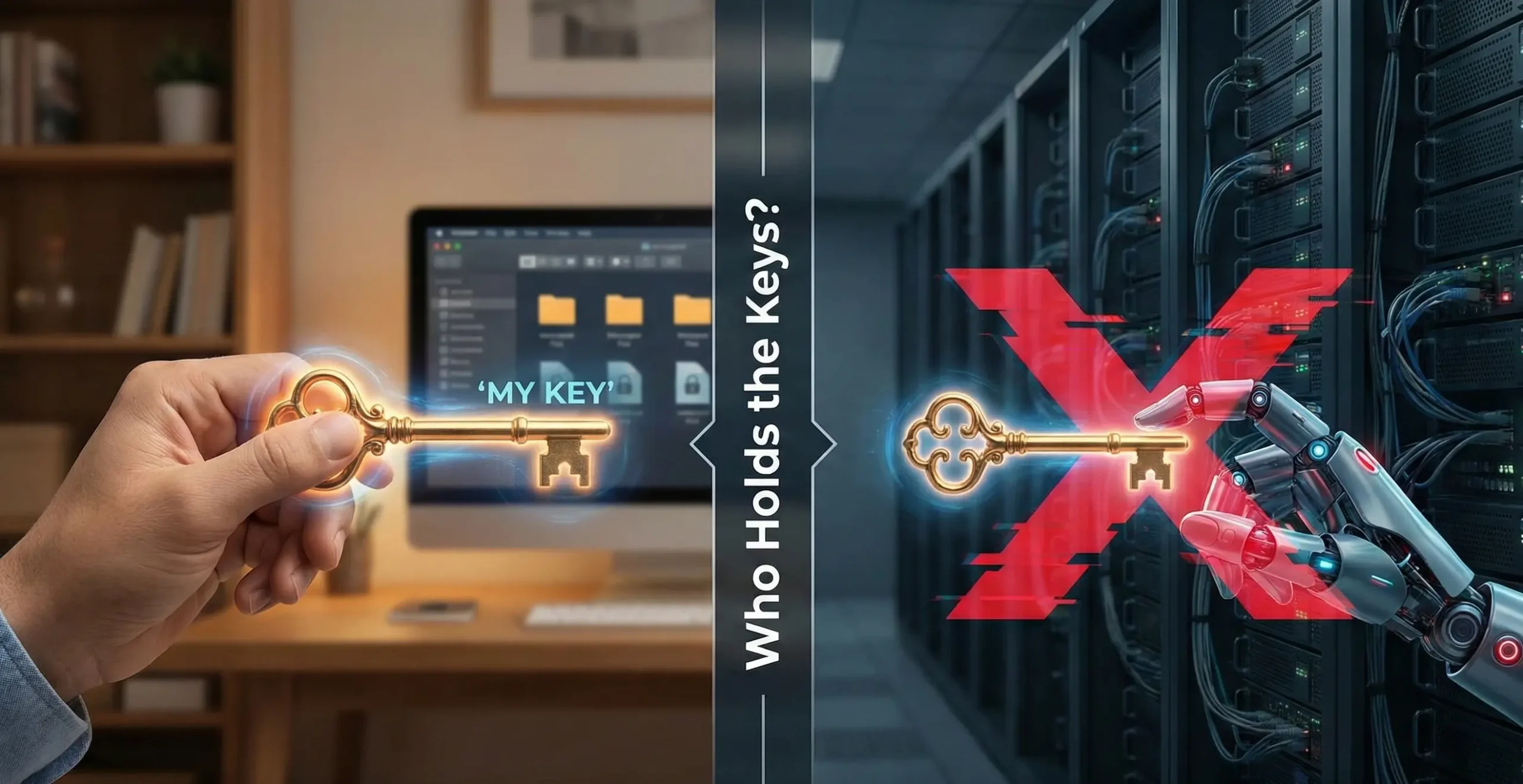
The software you trust might be reading your files right now—and you'd never know it. This unsettling reality stems from a common flaw: many "secure" cloud services and applications claiming end-to-end encryption manage your encryption keys on their servers, granting them the technical ability to access your supposedly private data. As ransomware attacks surge by 105% year-over-year CrowdStrike and the average cost of a data breach hits $4.35 million in regulatory fines IBM, understanding who truly controls your encryption keys is no longer optional—it's the defining line between actual security and mere security theater.
This guide demystifies zero-knowledge encryption software, the only architecture that guarantees true data sovereignty.
You'll learn why zero-knowledge combined with AES-256 encryption creates mathematically unbreakable protection, how to evaluate encryption tools through a security-first lens, and how to implement this gold standard for files and folders on Windows without technical complexity or workflow disruption.
Before choosing encryption software, you need to understand a fundamental question: who actually holds the keys to your encrypted data?
The Illusion of Security: Where Traditional Encryption Models Fail
Traditional encryption creates a dangerous false sense of security through two critical vulnerabilities.
First, the "trusted third-party" problem: when cloud services or software providers manage your encryption keys, they become a single point of failure. Whether through insider threats, server breaches, or government subpoenas, your "encrypted" data remains accessible to anyone who controls those keys—which isn't you.
Second, the data-in-use gap: tools like BitLocker and other full disk encryption tools only protect data at rest. Once you unlock a container or boot your encrypted drive, files sit exposed in system memory, vulnerable to memory-scraping malware and other logged-in users. Worse, users frequently forget to dismount containers after working—leaving sensitive data completely unprotected for hours or days, negating encryption entirely.
AES-256 Encryption: The Military-Grade Standard Behind Zero-Knowledge
Excellent. AES-256 is not just a technical specification; it's the unbreakable bedrock upon which true zero-knowledge security is built. This military-grade encryption standard, formally known as the Advanced Encryption Standard with a 256-bit key length, is the very same algorithm mandated by the U.S. National Security Agency (NSA) for protecting classified government information and used globally by financial institutions to secure transactions. Its strength lies in its astronomical complexity: there are 2^256 possible key combinations. To put this into perspective, a brute-force attack using all the world's current computing power would require far longer than the estimated age of the universe to stumble upon the correct key.
In a zero-knowledge architecture, where you alone hold the keys, the choice of cipher becomes paramount. This structure is only as strong as the encryption algorithm at its core. AES-256's resilience, having withstood over two decades of rigorous public cryptanalysis, makes it the NIST-approved gold standard for a reason. It provides the provable security needed to ensure that your ciphertext remains indecipherable to any outside party, including the service provider. Looking ahead, while future quantum computers pose a theoretical threat to some cryptographic systems, AES-256 with larger key sizes is considered fundamentally quantum-resistant. As recognized by NIST's ongoing post-quantum cryptography standardization efforts, new algorithms are designed to complement and work alongside robust symmetric ciphers like AES, not replace them.
For file and folder encryption, AES operates as a symmetric cipher, meaning the same key is used to encrypt and decrypt data. This is ideal for the task. Symmetric encryption offers significantly faster performance for bulk data operations compared to asymmetric (public-key) cryptography.
The Business Case: Why Zero-Knowledge Encryption is Non-Negotiable
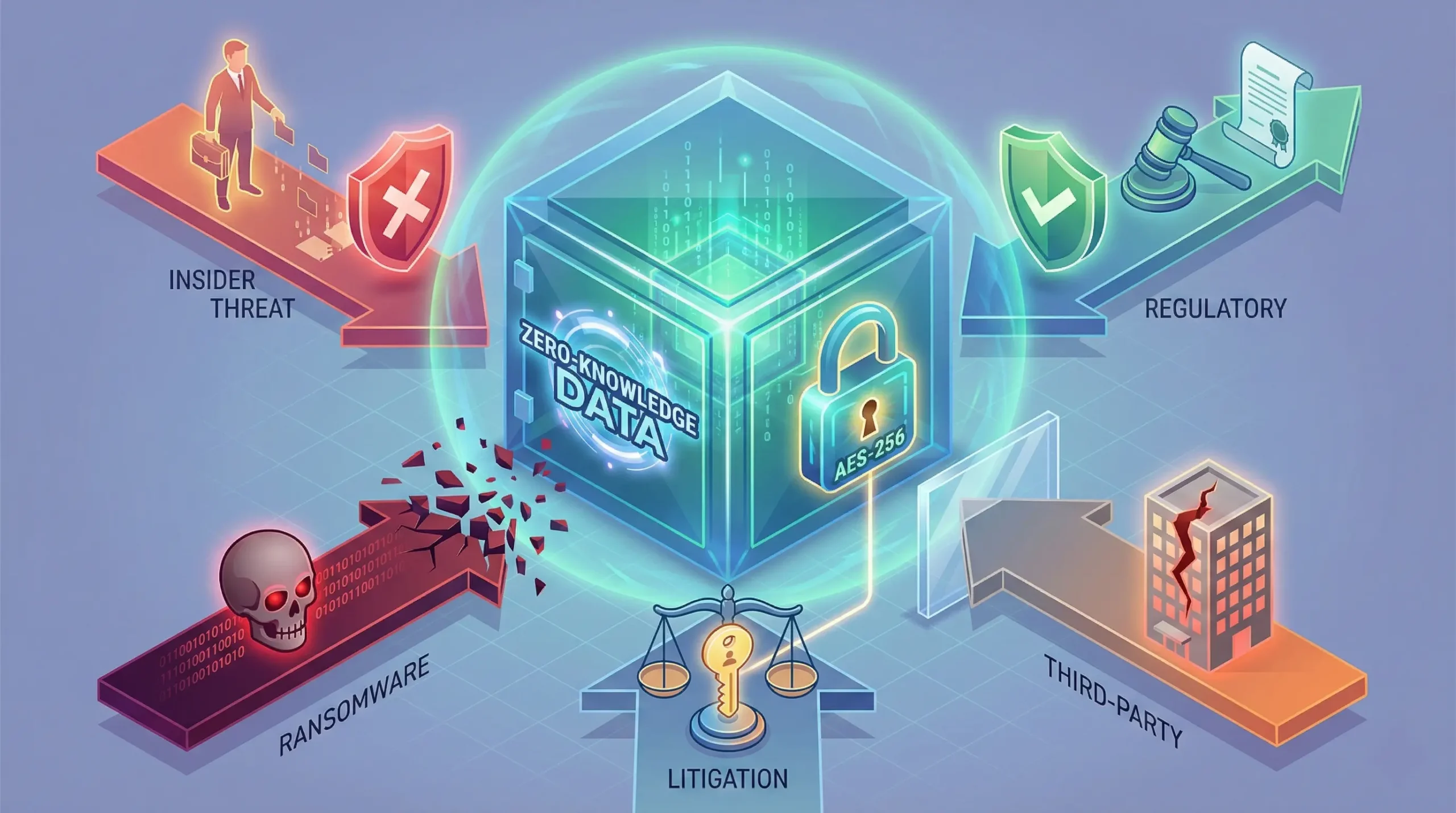
For modern businesses, data encryption has shifted from a best practice to a legal and strategic imperative. Yet, not all encryption is equal. The "trusted third-party" model, where a provider holds your keys, leaves a critical backdoor open to catastrophic risk. Zero-knowledge architecture slams that door shut, transforming data security from a vulnerable promise into a verifiable, non-negotiable standard.
Insider Threat Elimination
In healthcare alone, 70% of data breaches in 2024 were caused by internal actors Exabeam, highlighting the magnitude of insider risk across all industries. Zero-knowledge architecture fundamentally eliminates this vulnerability by removing the technical possibility of employee, administrator, or contractor access to sensitive files.
Regulatory Compliance Advantages
GDPR Article 32 explicitly requires "the pseudonymisation and encryption of personal data" as appropriate technical measures for security of processing. Zero-knowledge encryption provides defensible evidence of data protection that satisfies regulators across multiple frameworks.
Ransomware Resilience
When attackers compromise your network, zero-knowledge encrypted files remain mathematically inaccessible without user passwords. This creates an "offline" security layer that persists even during active breaches—ransomware can't encrypt what it can't read, and exfiltrated files remain useless ciphertext. Given that ransomware or extortion was involved in a substantial portion of financially motivated incidents with a median loss of $46,000 per breach Bright Defense, this protection delivers measurable ROI.
Third-Party Risk Management
15% of breaches in 2024 involved third parties such as software supply chains, hosting partner infrastructures, or data custodians Bright Defense. Zero-knowledge encryption neutralizes vendor risk—when using cloud storage, backup services, or managed IT providers, your data remains encrypted end-to-end. Vendors see only ciphertext, eliminating exposure from their security failures, malicious employees, or legal compulsion.
Litigation Protection
In legal discovery scenarios, zero-knowledge architecture establishes clear technical boundaries. You cannot be compelled to produce server-side decryption keys that don't exist. This doesn't obstruct legitimate legal processes—you retain full control of your own keys—but prevents fishing expeditions and protects against overreach.
Zero-Knowledge Encryption Implementation: What to Look For & How EncryptPro Delivers
Choosing zero knowledge encryption software requires evaluating specific technical and usability criteria that separate genuine security from marketing claims. Here's your evaluation framework—and how modern solutions implement it without complexity.
EncryptPro. This isn't a complex workaround; it's the modern, purpose-built encryption software for Windows 11 Home that eliminates the security vs. convenience trade-off. It delivers military-grade AES-256 encryption through a seamless, right-click workflow that feels native to Windows, giving you Pro-level security without the Pro edition price tag or the usual hassle of other tools.

Essential Zero-Knowledge Requirements
Client-Side Encryption Only: Software must encrypt files on your device before any upload, sync, or storage. Never trust "encrypted in transit" claims without confirmation of "encrypted at rest with user-controlled keys." True zero-knowledge means encryption happens locally, period.
Zero Cloud Key Storage: Reputable tools explicitly state they do not store encryption keys, recovery keys, or password hints on servers. If a provider can reset your password or recover your data, it's not zero-knowledge.
Granular File/Folder Control: Unlike full-disk encryption (BitLocker), which operates at the drive level, zero-knowledge folder encryption software should allow selective protection of specific files or folders. This flexibility enables you to encrypt sensitive documents while leaving system files and applications accessible.
On-the-Fly Decryption in Secure Memory: The best implementations decrypt files temporarily in RAM when opened, allow editing in native applications (Word, Excel, Photoshop), then auto-re-encrypt on save. This eliminates manual encrypt/decrypt cycles that disrupt workflow and create security gaps when users forget to re-encrypt.
Secure Key Derivation: Keys should be generated from your passphrase using key derivation functions (KDF) like PBKDF2 or Argon2 with high iteration counts—never from a simple hash. This protects against brute-force attacks on stolen encrypted files.
EncryptPro's Zero-Knowledge Implementation
EncryptPro translates these technical requirements into practical security without sacrificing usability. The software encrypts all files and folders locally using AES-256 encryption software standards, with keys derived from your password that never leave your device, aren't stored in the cloud, and cannot be recovered by the company—verifiable zero-knowledge architecture.
Right-Click Simplicity: Unlike container model requiring virtual drive mounting, EncryptPro integrates directly into Windows Explorer's context menu. Right-click any file or folder, select "Encrypt," and protection happens in place—no vault creation, no file relocation, no workflow disruption.
True On-the-Fly Access: Double-click an encrypted Excel file, and it opens in Excel. Edit normally, save, close—EncryptPro automatically re-encrypts in the background. This maintains zero-knowledge (decryption happens in secure memory, keys stay local) while eliminating the extract-edit-compress cycle that plagues tools like WinRAR or 7-Zip.
Smart Group Management: Create encryption groups like "Financial," "Medical," or "Client Projects" with separate passwords. Unlock entire categories at once while maintaining granular control—reduces password fatigue without compromising security.
"Never Locked Out" Guarantee: EncryptPro's proprietary Viewer Mode allows read-only access to encrypted files under all circumstances. This preserves zero-knowledge principles (you control access through your device) while preventing catastrophic data loss—a critical feature for business continuity.
Hybrid Cloud Compatible: EncryptPro works entirely offline with zero cloud dependency. If you use cloud storage, upload already-encrypted files—Dropbox, Google Drive, and OneDrive see only ciphertext. You get cloud convenience with on-premises security.
The free forever version offers unlimited file encryption software capabilities with zero-knowledge protection at no cost. Paid tiers add folder encryption and advanced features without changing the security architecture—protection scales with your needs.
Download the Free Forever version of EncryptPro now and encrypt your first folder in under 60 seconds. No trials, no strings—just powerful protection that actually works on your Windows 11 Home PC.
FAQs
Q1: Can zero-knowledge encryption be hacked?
Zero-knowledge encryption using AES-256 is mathematically secure—the encryption itself cannot be "hacked" with current technology. The vulnerabilities are in implementation (weak passwords, insecure key derivation) or endpoints (malware on your device capturing keys). Choose software with proven cryptographic implementation and use strong, unique passphrases.
Q2: What happens if I forget my password with zero-knowledge encryption?
This is the trade-off of true zero-knowledge—since the software provider cannot access your keys, they cannot reset your password or recover your data. Solutions include: using password managers for master passwords, creating offline backup keys stored securely, or choosing software like EncryptPro with Viewer Mode that provides read-only access as a fail-safe while maintaining zero-knowledge principles.
Q3: Is zero-knowledge encryption legal for businesses?
Yes, zero-knowledge encryption is completely legal and actually favored by most data protection regulations (GDPR, HIPAA, CCPA). It demonstrates "privacy by design" and satisfies regulatory requirements for protecting sensitive data. Some industries (financial services, healthcare) have data retention requirements that need specific workflows, but zero-knowledge encryption is compliant when implemented properly.
Q4: How does zero-knowledge encryption affect cloud storage and backups?
Zero-knowledge encryption works perfectly with cloud storage—you encrypt files locally, then upload the already-encrypted ciphertext to the cloud. Cloud providers see only encrypted data and cannot access contents. This combines cloud convenience (accessibility, redundancy) with on-premises security (you control keys). Services like Dropbox, Google Drive, and OneDrive can store your encrypted files without being able to decrypt them.